

Who’s Watching Your Network at 2:17 A.M.? What 24/7 Cybersecurity Actually Means

Cybersecurity Awareness Month | Part 4 of 4
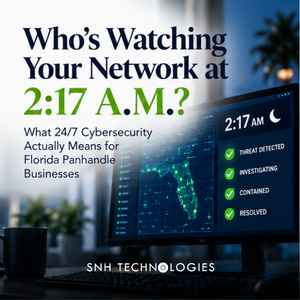
It's 2:17 a.m. on a Saturday.
An employee account signs in from somewhere it shouldn't. A computer suddenly starts communicating with an unfamiliar server. An endpoint security tool detects suspicious behavior. Or a privileged account begins doing something it has never done before.
Your cybersecurity tools generate an alert.
Great.
Now what?
That's the part of cybersecurity businesses don't always think about.
Installing security tools is important. Generating alerts is important.
But neither answers the question:
Is anyone actually watching—and what happens when something goes wrong?
Cybersecurity doesn't stop when your office closes
Attackers don't need to work your business hours.
Your technology doesn't either.
Email, cloud applications, servers, remote-access tools and internet-connected systems continue operating overnight, on weekends and during holidays.
That's why detection and response are separate—and essential—parts of a cybersecurity strategy.
The NIST Cybersecurity Framework specifically identifies Detect and Respond as core cybersecurity functions. Detect focuses on finding and analyzing possible cybersecurity attacks and compromises; Respond focuses on taking action once an incident has been detected. NIST
In normal language:
Something happened. Did we see it?
And then:
Did somebody do something about it?
Those are very different questions.
An alert isn't a response
Businesses can have an impressive collection of cybersecurity products.
Firewall.
Endpoint protection.
Email security.
Microsoft 365 security.
Backup monitoring.
Network monitoring.
Each can generate alerts.
The problem is that alerts don't investigate themselves.
Someone has to determine:
Is this legitimate activity or a threat?
Which user or device is involved?
What happened before the alert?
Is the activity still occurring?
Has anything else been affected?
Does a computer need to be isolated?
Does an account need to be disabled?
Does the incident need to be escalated?
That's where monitoring becomes response.
What does 24/7 cybersecurity monitoring actually mean?
This is worth asking because “24/7 monitoring” can mean very different things depending on the provider.
In one environment, it might mean software is running 24 hours a day and generating alerts.
In another, it may mean security professionals are actively receiving, analyzing and responding to those alerts around the clock.
Those aren't the same service.
If your MSP or cybersecurity provider says your business is monitored 24/7, ask:
Who receives a critical alert at 2:17 a.m.?
Then ask:
What are they authorized to do about it?
Those two questions can tell you quite a bit about the service you're actually buying.
RMM, EDR, MDR, SOC...what does all of this mean?
Cybersecurity has an unfortunate fondness for acronyms.
You don't need to memorize them all, but these four are useful.
RMM: Remote Monitoring and Management
RMM tools help IT providers manage computers, servers and other technology remotely.
They can monitor device health, deploy software, install patches, automate maintenance and help technicians troubleshoot systems.
RMM is extremely useful for managing IT.
But RMM by itself isn't a 24/7 cybersecurity operation.
EDR: Endpoint Detection and Response
EDR focuses specifically on security activity occurring on endpoints such as laptops, desktops and servers.
It can identify suspicious behavior and provide information that helps security professionals investigate what happened.
Think of EDR as having security cameras inside the building instead of only having a lock on the front door.
But again:
A camera recording suspicious activity isn't the same as someone watching the camera and responding.
MDR: Managed Detection and Response
MDR adds people and response capabilities around security technology.
Depending on the service, an MDR provider may monitor security events, investigate suspicious activity and take or recommend actions to contain threats.
The exact scope varies significantly between providers, so businesses should understand what's actually included.
SOC: Security Operations Center
A SOC is the people, processes and technology used to monitor and respond to cybersecurity events.
Some organizations operate their own SOC.
Others use an outside provider.
Many small and midsize businesses simply don't have the staffing or budget to build a true 24/7 security operation internally. NIST specifically notes that outsourcing cybersecurity to MSPs, MSSPs and other specialists is common—particularly for smaller organizations without dedicated cybersecurity resources. NIST
What happens when a real alert comes in?
Imagine an employee's laptop suddenly begins exhibiting behavior consistent with malware at 2:17 a.m.
A mature response shouldn't simply be:
Alert generated. Email sent.
The process might instead look something like this:
1. Detection
Security technology identifies unusual behavior.
2. Triage
The alert is reviewed to determine whether it's likely malicious, benign or requires additional investigation.
3. Investigation
The responder looks at the device, account, activity and related events to understand what's happening.
4. Containment
If appropriate and authorized, the affected endpoint may be isolated or access restricted to prevent the threat from spreading.
5. Escalation
If the incident is significant, the appropriate technical staff, business leadership or other parties are contacted.
6. Remediation
The underlying threat is addressed.
7. Recovery
Systems are safely returned to operation.
8. Review
The organization determines what happened, what was affected and what should change to reduce the likelihood or impact of another incident.
Not every alert requires all eight steps.
But someone needs to know which ones it requires.
NIST's guidance specifically calls for organizations to understand indicators of cybersecurity incidents, assess systems for unusual behavior and communicate relevant incident details to authorized responders so they can analyze and mitigate threats. NIST
How quickly should someone respond?
There's no universal answer.
A failed login attempt doesn't deserve the same response as ransomware spreading across a network.
That's why alerts need to be prioritized by severity and context.
A good cybersecurity operation should distinguish between:
Informational events — useful for context but generally don't require immediate action.
Suspicious events — activity that warrants investigation.
Critical events — threats that may require immediate containment or escalation.
The goal isn't to wake everyone up every time somebody mistypes a password.
It's to recognize the events that actually matter and respond appropriately.
More alerts don't necessarily mean better security
This is another common misconception.
Businesses sometimes assume that a cybersecurity product generating hundreds of alerts must be doing an excellent job.
Not necessarily.
If a security team receives so many alerts that meaningful ones disappear into the noise, the monitoring isn't particularly effective.
This is sometimes called alert fatigue.
Good cybersecurity monitoring isn't about collecting the largest possible number of warnings.
It's about identifying the warnings that matter.
That requires properly configured technology, context, processes and people.
Your MSP needs security too
There's another question businesses should ask:
How is our IT provider protecting itself?
MSPs can have privileged access to multiple customer environments, which makes their own security especially important.
CISA, the FBI, NSA and international cybersecurity agencies—including the UK's National Cyber Security Centre—have specifically warned that MSPs are attractive targets because compromising one provider can create downstream risk for its customers. Their recommendations include MFA, secure remote access, logging and monitoring, endpoint detection, and tested incident-response and recovery plans. CISA
So when you're evaluating an MSP, cybersecurity provider or MSSP, don't just ask what they're installing on your network.
Ask what protects theirs.
Questions to ask your MSP about 24/7 cybersecurity
You don't need to conduct a technical interrogation.
Ask straightforward questions:
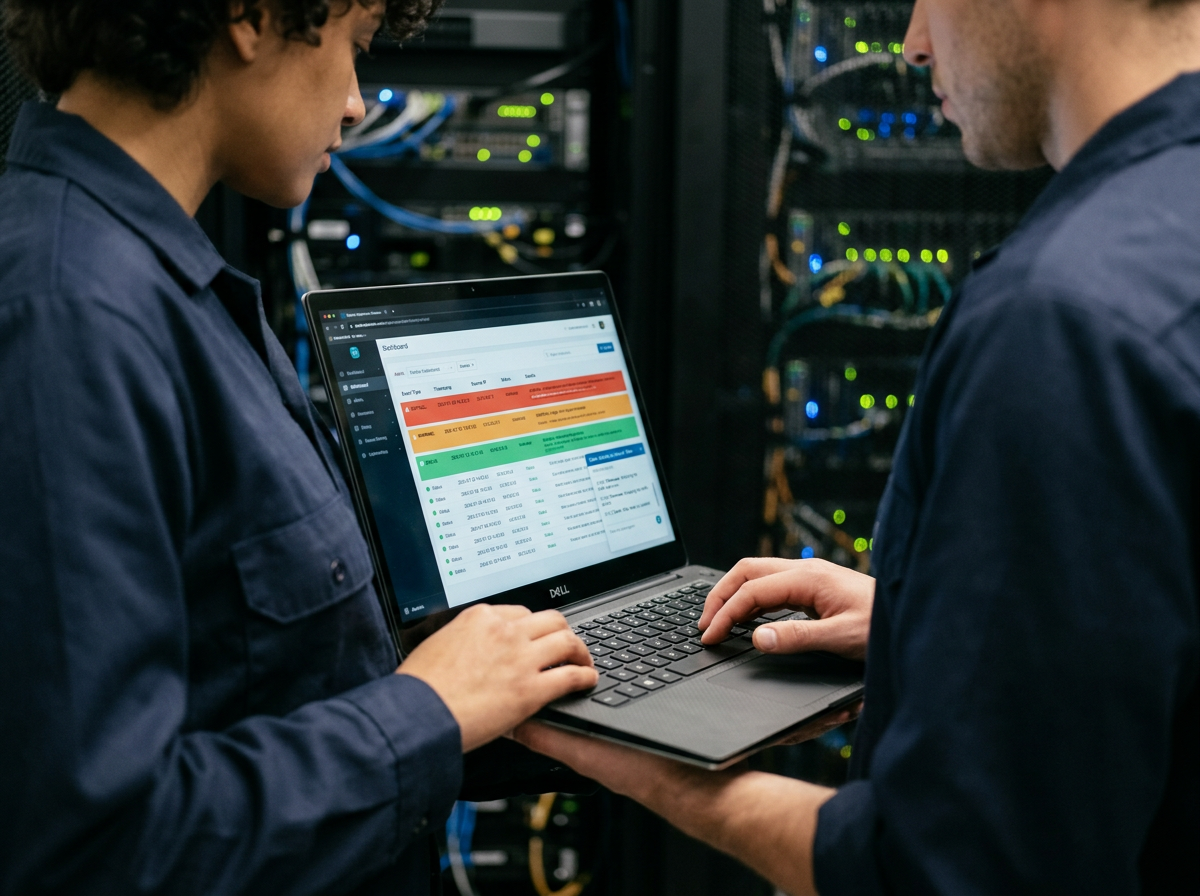
Who receives our cybersecurity alerts after hours?
Are alerts reviewed by a person or simply emailed to someone?
What happens when a critical threat is detected?
Can you isolate a compromised computer after hours?
Who contacts us during a serious incident?
What security systems are monitored?
What's excluded from monitoring?
How are Microsoft 365 and other cloud accounts monitored?
How do you protect the remote-access tools you use to manage our systems?
Do you have your own incident-response plan?
Who monitors your systems?
And one particularly important question:
Can you show us where these responsibilities are defined in our agreement?
CISA's guidance specifically recommends that MSP customers clearly establish roles, responsibilities and security expectations in contractual arrangements. CISA
“Don't worry, we've got you covered” isn't a cybersecurity plan.
Monitoring is only one layer
If you've followed this series, there's a reason we saved this topic for last.
In Part 1, Your Firewall Is Not a Force Field, we talked about layered cybersecurity and why businesses need more than perimeter protection.
In Part 2, Gone Phishing, we looked at the people attackers target and why employee awareness needs to work alongside technical security controls.
In Part 3, Backups Aren't Boring When Everything Is on Fire, we focused on recovery—because even strong cybersecurity can't promise that nothing will ever go wrong.
Now we get to the piece connecting all of them:
Someone needs to know when something is going wrong.
And someone needs to respond.
That's why NIST's current Cybersecurity Framework isn't simply about prevention. It organizes cybersecurity around six functions: Govern, Identify, Protect, Detect, Respond and Recover. NIST
You need all six.
What should 24/7 cybersecurity look like for a Florida Panhandle business?
A law firm in Destin doesn't need the same cybersecurity program as a hospital in Panama City.
A CPA firm in Santa Rosa Beach doesn't necessarily need the same controls as a school or government organization in Pensacola.
Cybersecurity should reflect the organization's systems, data, regulatory requirements, contractual obligations and actual risks.
But every organization should know:
What are we protecting?
How are we protecting it?
How would we know something happened?
Who responds?
What happens after hours?
And how do we recover?
If you can answer those questions clearly, you're already having a much more useful cybersecurity conversation.
Your network doesn't sleep. Neither do cyber threats.
Technology makes it easy to buy security products.
The harder part is building a cybersecurity program in which those products work together, alerts reach the right people and someone knows what to do when a real threat appears.
Because the question isn't whether your firewall, endpoint security or Microsoft 365 can generate an alert at 2:17 a.m.
They probably can.
The question is:
Who's watching?
At SNH TECHNOLOGIES, we provide managed IT and cybersecurity services for businesses and organizations throughout Pensacola, Fort Walton Beach, Destin, Santa Rosa Beach, Panama City and the Florida Panhandle—with monitoring, response, backup and recovery built around the way our clients actually operate.
Don't let IT scare you. Know who's watching it.
Frequently Asked Questions
What is 24/7 cybersecurity monitoring?
24/7 cybersecurity monitoring generally refers to continuously monitoring security systems and events so suspicious activity can be identified outside normal business hours. Businesses should confirm whether their particular service includes human review and response, because the scope varies by provider.
What's the difference between IT monitoring and cybersecurity monitoring?
IT monitoring generally focuses on the health, availability and management of technology. Cybersecurity monitoring focuses on identifying activity that may indicate a security incident. The two can overlap, but they serve different purposes.
What's the difference between EDR and MDR?
EDR provides technology for detecting and investigating suspicious activity on endpoints. MDR is a managed service that adds ongoing monitoring, investigation and response capabilities around security technologies. Exact capabilities vary by provider.
Does a small business need a SOC?
Not necessarily its own SOC. Small businesses can maintain cybersecurity capabilities internally, outsource them, or use a combination. NIST specifically recommends considering a service provider to monitor computers and networks when a business doesn't have sufficient internal resources. NIST
What should I ask a cybersecurity MSP?
Ask who monitors alerts, what happens after hours, what response actions they're authorized to take, what's included and excluded, how incidents are escalated, how their own systems are secured and where those responsibilities are documented.
Missed the beginning of the series? Start with Part 1: Your Firewall Is Not a Force Field, then read Part 2: Gone Phishing and Part 3: Backups Aren't Boring When Everything Is on Fire.